
Prevent overbooking and you protect your guests, your reviews, and your income. 🏨 Few things upset a hotel team like two guests holding one room. Sadly, this problem is common when rooms sell on many OTAs. However, a channel manager can reduce the risk a lot. ✅
In this guide, we explain how to prevent overbooking with a channel manager. We use plain words and practical steps. Our team at SaasAro works with hotel teams every day. Therefore, this guide reflects what we see in real operations. 🤝
📌 Key Takeaways
- ⚠️ Overbooking happens when one room sells more than once
- 🔄 A channel manager syncs rooms and rates across OTAs
- 🖥️ Connecting it to your PMS adds more safety
- 🧑🏫 Good habits matter as much as good software
- 🎯 Smart systems help you prevent overbooking before guests notice
❓ What Is Overbooking?
Overbooking means you accept more bookings than you have rooms. It can happen on one night or many nights. 📅
Sometimes hotels overbook on purpose, expecting a few cancellations. This is a planned strategy and needs careful control. Here, however, we focus on accidental overbooking, which causes real harm. 😓
Accidental overbooking usually comes from slow or missed updates. As a result, two sites show the same room as available. Knowing the cause helps you prevent overbooking faster. 🔍
🔍 Why Overbooking Happens on OTAs
Most hotels sell on several OTAs, plus their own website and phone. Each channel has its own calendar. Therefore, every sale must update all other calendars. 🌐
Overbooking often starts with these causes:
- ✍️ Manual updates done after a delay
- 🧾 Phone or walk-in bookings not entered quickly
- 📶 Slow or failed syncs between systems
- 👥 Different staff updating different calendars
- 🎉 Sudden demand during festivals and long weekends
Even a short delay can cause trouble. For example, two guests may book the last room within minutes. Without quick updates, both bookings go through. Fixing these causes helps you prevent overbooking at the source. 😟
💸 What Overbooking Costs You
Overbooking is not only an awkward moment. It has real costs. 💰
First, you may need to relocate a guest. That can mean paying for another hotel, transport, or a refund. Moreover, staff spend time on stressful calls. 📞
Second, reviews can suffer. Guests remember being turned away. As a result, ratings and future bookings may drop. ⭐
Third, OTAs may take action after hotel-side cancellations. Policies vary, so check each platform’s terms. Therefore, it is wise to prevent overbooking before it starts. 🛑
⚙️ What Is a Channel Manager?
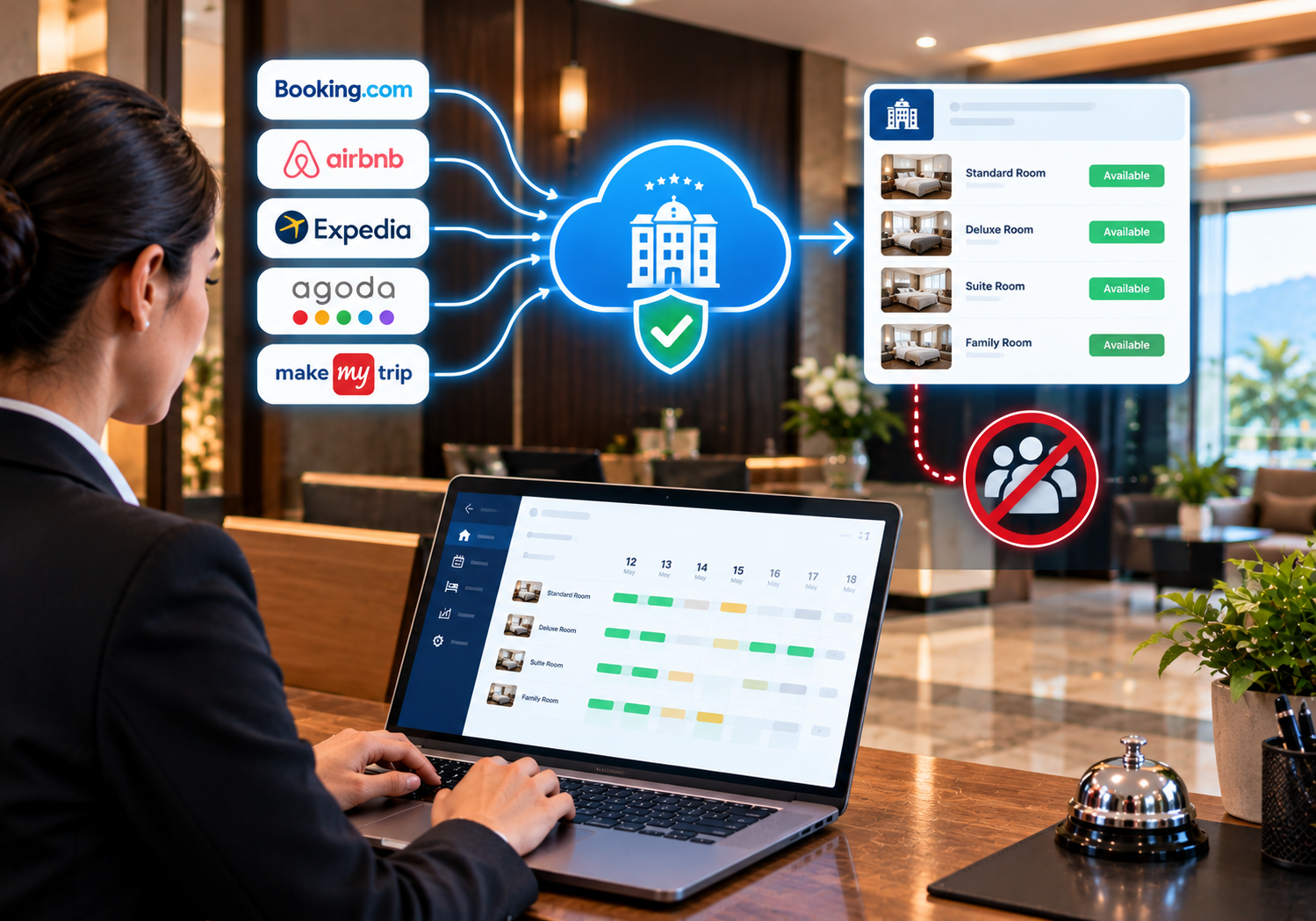
A channel manager connects your hotel to many OTAs and sales channels. It keeps room availability and rates in one central place. 🖥️
When a room sells on one channel, the channel manager updates the others. Consequently, the same room does not stay open elsewhere. This simple flow helps prevent overbooking across your whole network. 🔄
Speed depends on the connection and each OTA. Still, automatic updates are far faster than manual ones. ⚡
🧠 How a Channel Manager Helps Prevent Overbooking
Let us look at the main ways it works. 👇
🔄 1. Central Inventory
Your channel manager holds one master count of rooms. Every OTA draws from that same count. So, you avoid keeping separate numbers in separate places. 📊
⚡ 2. Automatic Updates
When a booking arrives, the system updates availability on all channels. Moreover, it handles cancellations and changes too. As a result, freed rooms return to sale quickly. 🔁
🚫 3. Stop-Sell and Closing Dates
You can close rooms on certain dates across all channels at once. For example, close dates during maintenance or private events. This control helps you prevent overbooking on days you cannot sell. 🔒
💰 4. Consistent Rates
Rate changes also flow to every channel together. Therefore, guests see fair, matching prices. Consistency builds trust and reduces confusion. 🤝
🖥️ 5. PMS Connection
A channel manager works even better when linked to your PMS. Bookings from OTAs flow into your front desk system. Then walk-in and phone bookings flow back out. 🏨
You can see this in practice. For example, read how channel management works for hotels in Old Goa. It shows how one dashboard can handle many OTAs. 🖥️
🔗 A Simple Booking Flow Example
Here is how the flow works in daily life. 📋
A guest books your last deluxe room on OTA A. The channel manager records the sale. Then it updates OTA B and your website. Finally, your PMS shows the booking to the front desk. ⚡
Because the room closes everywhere, the next guest cannot book it. That is how smart syncing helps prevent overbooking in busy periods. 🎯
🏗️ Set Up Your Channel Manager the Right Way
Software helps, but setup matters. Follow these steps. 🧰
- 📋 List every channel where you sell rooms
- 🛏️ Map each room type correctly on every OTA
- 💵 Set clear rates, taxes, and policies
- 🧪 Test a few bookings before you go fully live
- 📊 Check calendars daily for the first weeks
Room mapping deserves extra care. If a room type is mapped wrongly, the count can go wrong. Therefore, double-check each mapping with your team. ✅
📞 Handle Offline Bookings Fast
Not every booking comes from an OTA. Phone calls, walk-ins, and repeat guests also reserve rooms. 🚶
Enter these bookings into your PMS immediately. Then your channel manager can update all OTAs. Never leave offline bookings in a notebook for later. 📓
This one habit helps you prevent overbooking more than many expect. Speed and discipline go hand in hand. ⏱️
🧯 Keep a Small Safety Buffer
Some hotels keep one room unsold on busy nights. This buffer gives you space for errors or urgent needs. 🛏️
Use it carefully, since it may reduce sales. Still, on peak dates, a small buffer can calm the front desk. Decide based on your own demand and risk. A buffer can help you prevent overbooking risks on peak dates. 🧭
🎓 Train Your Team
Technology helps, but people make final choices. Therefore, train every team member. 👥
Cover these points:
- 🖥️ How to enter and edit bookings correctly
- 🔁 Why every change must go through the system
- 🔒 How to close dates and rooms
- 🚨 Whom to call when something looks wrong
Also, review calendars during shift handovers. Small checks catch big problems early. Trained staff help you prevent overbooking on every shift. 💪
🚨 What to Do If Overbooking Still Happens
Even good systems cannot promise zero errors. Therefore, prepare a calm response plan. 📝
Follow these steps:
- 🔍 Confirm the error and find the exact bookings
- 🛏️ Look for an equivalent or better room first
- 🏨 If needed, arrange a similar nearby hotel
- 💬 Speak to the guest politely and early
- 🎁 Offer fair help, such as transport or a meal
- 🧾 Check the OTA’s policy and inform them as required
Honest, fast communication protects your reputation. Moreover, a calm tone helps guests accept the change. 🙏
🇮🇳 Overbooking Risks for Indian Hotels
Indian demand spikes sharply. Festivals, weddings, and long weekends fill hotels quickly. Meanwhile, many properties use several OTAs plus phone bookings. 📱
Because of this mix, manual updates fail more often. Therefore, automation is especially valuable during peak dates like Diwali. 🪔
Owners also manage several staff shifts. A shared system gives everyone the same live view. As a result, your team can prevent overbooking even during busy hours. 🌟
🖥️ How SaasAro Fits In
SaasAro is a cloud-based hotel management platform for hotels and accommodation businesses. It offers a PMS, channel manager, booking engine, and website builder. Teams can manage operations from one dashboard, anytime and anywhere. ☁️
Explore the SaasAro hotel management platform to see the features. Always confirm the exact features and OTA connections during a demo. 🔎
⚠️ Common Mistakes to Avoid
- ❌ Updating some OTAs by hand and others by system
- ❌ Mapping room types incorrectly
- ❌ Leaving offline bookings unrecorded
- ❌ Skipping daily calendar checks
- ❌ Ignoring OTA policies on cancellations
Each mistake raises the risk of double bookings. Therefore, fix them early to prevent overbooking. 🔧
🧪 A Quick Example: A 30-Room Hotel in Goa
Here is an illustrative scenario, not a client case study. Imagine a 30-room hotel in Goa that sells on four OTAs. 🌴
At first, the team updates each OTA by hand every morning. During New Year week, two guests book the same sea-view room. Then the front desk scrambles to fix it. 😓
Later, the owner adopts a channel manager linked to the PMS. As a result, sales update all channels together. Moreover, offline bookings enter the system at once. After the change, the team spends less time fixing clashes. 👏
🗓️ Your 30-Day Action Plan
Use this plan to start now:
- 📅 First week: List channels, room types, and past overbooking issues
- 📅 Second week: Choose a channel manager and book demos
- 📅 Third week: Map rooms, test bookings, and train staff
- 📅 Final week: Go live and check calendars every day
Because small steps add up, steady effort beats rushed setups. ⏳
📋 Quick Overbooking Checklist
- ✅ All OTAs connect to one channel manager
- ✅ Room types are mapped and tested
- ✅ Offline bookings are entered immediately
- ✅ Calendars are checked at every shift handover
- ✅ A response plan for clashes is written
- ✅ Staff know whom to call for help
Tick each item to prevent overbooking more reliably. 🏁
🛡️ Why Hoteliers Trust SaasAro
Our content comes from hands-on work with hotel teams. We update our guides when OTA policies and tools change. Moreover, we explain features plainly and avoid hype. We do not promise zero errors, because outcomes depend on setup and habits. Still, every hotel is different, so test any tool against your own needs. ✅
🚀 Final Thoughts
Overbooking is stressful, yet it is often preventable. A channel manager gives you one live view of every room. Add a PMS link, clear habits, and trained staff.
With these steps, you can prevent overbooking and protect your guests. 🌈 So, start with one improvement this week. Then add the next.
❓ Frequently Asked Questions
Q1. What is the best way to prevent overbooking on OTAs?
Use a channel manager that syncs rooms across all channels. Also, enter offline bookings immediately and check calendars daily.
Q2. Can a channel manager completely prevent overbooking?
It greatly reduces the risk, but no system can promise zero errors. Therefore, combine software with good habits and training.
Q3. Does a channel manager update OTAs in real time?
Updates are usually automatic and quick. However, speed depends on your connection and each OTA, so confirm during a demo.
Q4. Do small hotels need a channel manager to prevent overbooking?
Yes, if they sell on more than one OTA. Even a few rooms can suffer from double bookings.
Q5. How does a PMS help prevent overbooking?
A PMS records phone and walk-in bookings alongside OTA bookings. As a result, your channel manager can update all channels together.
Q6. What should I do if I overbook a room?
Check for an equivalent room first. Then speak to the guest early, offer fair help, and follow the OTA’s policy.
Q7. How long does setup take?
Setup time varies by property size and the number of OTAs. Still, plan for room mapping, testing, and staff training.
📞 Book a Demo with SaasAro
Ready to prevent overbooking? 🚀 Call the SaasAro team at +91 75000 87037. Then visit saasaro.com for a demo and tailored guidance.