
Ready to list your hostel on Booking.com and fill more beds? 🚀 Backpackers, solo travellers, and students from India and abroad search for hostels every day. Booking.com can put your dorms in front of them. In this guide, you will see every step in simple words. We also share hostel-specific tips to win more bookings. 💡
🌍 Why You Should List Your Hostel on Booking.com
Hostel guests plan trips online. They compare price, location, reviews, and vibe in minutes. 📱 If you are not listed, they never see you.
Booking.com reaches a global audience. International backpackers use it to book budget stays before they land in India. ⭐
Here are the main benefits:
- 🌏 Visibility among foreign and domestic travellers
- 📱 Easy mobile booking for solo guests and groups
- 💳 Clear confirmations and payment handling
- ⭐ Reviews that build trust for new hostels
- 📈 Better occupancy on slow weekdays
When you list your hostel on Booking.com, you also reduce your reliance on walk-ins. Bookings can arrive at any hour. 🕐
🛏️ How a Hostel Listing Differs from a Hotel Listing
A hotel sells rooms. A hostel often sells individual beds in shared dorms. This changes how you build your listing. 🎯
- 🛏️ Bed-wise selling: Guests may book one bed in a shared dorm.
- 👥 Dorm types: Mixed dorms, female-only dorms, and private rooms need separate entries.
- 🚿 Shared spaces: Bathrooms, kitchens, and lounges need clear descriptions.
- 📜 House rules: Quiet hours, ID checks, and visitor rules matter a lot.
Partner help guides describe a dormitory bed room type for this purpose. You set the number of beds as your inventory. ✅
📋 What to Prepare Before You Start
Good preparation makes registration quick. Keep these items ready before you list your hostel on Booking.com. ✅
- 🏢 Business name and contact details
- 📍 Exact address and map location
- 🧾 GST details, if your hostel is registered
- 🏦 Bank account details for payouts
- 📸 Clear photos of dorms, bathrooms, lounge, and entrance
- 🛏️ Dorm types, bed counts, and private room details
- 💰 Price per bed and per private room
- 🔒 Details on lockers, linen, and security
- 📜 Cancellation policy and house rules
Requirements can change over time. Always confirm the current list during registration. 🔍
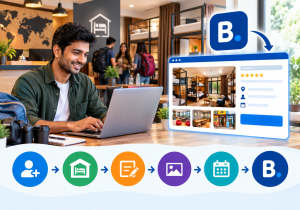
🪜 Step-by-Step: How to List Your Hostel on Booking.com
1️⃣ Start on the Partner Page
Open the Booking.com partner website. Click the list-your-property button. This begins your registration. 🖥️
2️⃣ Create Your Partner Account
Enter your email address, name, phone number, and a strong password. Use an email you check daily. Booking.com sends key messages there. 📧
3️⃣ Choose the Right Property Type
Select the category that fits a hostel. Honest labels place your listing in the right searches. Enter your hostel name exactly as it appears on your signage. 🏠
4️⃣ Add Address and Contact Details
Enter your full address and confirm your map pin. Hostels often sit in lanes or old buildings. Clear landmarks help tired travellers find you. 📍
5️⃣ Set Up Dorms and Private Rooms
Create each dorm type separately. Examples include a six-bed mixed dorm and a four-bed female dorm. Add private rooms as their own type. 🛏️
For bed-wise selling, set the number of beds as your inventory. Add bed type, such as bunk or single. Mention curtains, plugs, and reading lights. ✅
6️⃣ Add Amenities and House Rules
List real amenities such as Wi-Fi, lockers, linen, kitchen, and common lounge. Mention breakfast, laundry, or a rooftop if available. 🍳
Set clear rules on quiet hours, ID checks, visitors, and alcohol. Clear rules protect guests and staff. 📜
7️⃣ Upload Strong Photos
When you list your hostel on Booking.com, photos decide whether guests click or scroll on. Use bright, sharp images shot in daylight. 📸
Cover these areas:
- 🛏️ Each dorm type and bunk setup
- 🚿 Clean bathrooms and shower areas
- 🛋️ Common lounge, cafe, or rooftop
- 🔒 Lockers and security features
- 🍳 Kitchen or breakfast area
Skip blurry or dark photos. Never use another property’s pictures. 🚫
8️⃣ Set Rates, Availability, and Policies
Add your price per bed and per private room. Open your calendar for the coming months. Choose a cancellation policy that suits you. 💰
9️⃣ Complete Verification and Go Live
Booking.com may ask you to verify your account or property. Follow the instructions and submit documents on time. Then preview your listing and make it live. 🟢
✅ Quick Pre-Launch Checklist
Tick every item before you list your hostel on Booking.com:
- 📸 At least ten clear photos uploaded
- 📍 Address and map pin verified
- 🛏️ All dorm types and bed counts added
- 💰 Rates per bed checked
- 📜 Cancellation policy and house rules written
- 📆 Calendar open for the coming months
🎁 Hostel-Specific Tips That Lift Bookings
Hostels win on value and vibe. Use this advantage when you list your hostel on Booking.com. 🌟
- 👩 Female-only dorms: Many solo women travellers search for these first.
- 🔒 Safety: Mention lockers, CCTV, and 24-hour reception.
- 🍳 Free extras: Highlight breakfast, Wi-Fi, and linen.
- 🎉 Community: Share events like game nights and city walks.
- 💻 Workspace: Add details if you offer a co-working corner.
- 🗣️ Languages: Mention if your staff speak English and other languages.
Strong, clear offers help you stand out from basic budget stays. 📈
🌏 Serve International Guests After You List Your Hostel on Booking.com
Foreign backpackers often arrive after long journeys. Clear communication makes a big difference. 🧳
Share check-in times and directions before arrival. Mention nearby transport, such as railway stations and bus stops. Offer luggage storage for early arrivals. 🚉
Reply to messages quickly, even at odd hours. ⏰
💸 Smart Pricing After You List Your Hostel on Booking.com
Hostel demand changes with seasons, holidays, and local events. Weekends and festivals can fill every bed. Slow months need creative offers. 🌦️
Set rates by dorm size. Larger dorms usually cost less per bed. Add small discounts for longer stays. 🎁
Revenue management tools and a competitor rate analyzer help you price with confidence. 🎯
Booking.com earns a commission on bookings. The rate varies by location and property. Confirm current terms before you register. 💰
🧹 Keep Standards High After You List Your Hostel on Booking.com
A great listing brings the first booking. A clean, safe stay brings the next ten. Hostel guests are quick to review. 📖
Focus on these basics:
- 🧼 Clean bathrooms and fresh linen every day
- 🔇 Quiet hours that staff actually enforce
- 🔌 Working plugs and lights at every bed
- 🙂 Friendly, helpful reception staff
The housekeeping module helps staff track room status and cleaning tasks. 🧹
⭐ Build Reviews After You List Your Hostel on Booking.com
Reviews shape ranking and trust. Guests read them before they book. Deliver what your listing promises. 💚
Ask guests for honest feedback after checkout. A feedback capturing system makes this simple. Fix issues fast and thank happy guests. 🙏
You can also track ratings with reputation management. Strong reviews lift your visibility over time. 🌟
⚠️ Common Mistakes When You List Your Hostel on Booking.com
Many owners lose bookings because of small errors. Watch out for these:
- ❌ Using dark or outdated photos
- ❌ Mixing up dorm types and bed counts
- ❌ Leaving the calendar unupdated
- ❌ Hiding extra charges until check-in
- ❌ Ignoring guest messages
- ❌ Skipping clear house rules
Fix these early, and the way you list your hostel on Booking.com will perform better. 📈
🔄 The Hidden Problem: Updating Many Sites by Hand
Most hostels sell on several platforms. These may include MakeMyTrip, Goibibo, and Agoda. Each site needs updated beds and rates. 🌐
Doing this manually is slow. One missed update can overbook a dorm. That hurts your rating and income. 😟
A channel manager solves this. It updates all booking sites at once. Even after you list your hostel on Booking.com, it keeps every other channel in sync. 🔗
SaasAro connects with 300+ channels, according to its website. Since hostels sell beds, ask any provider how it handles bed-wise inventory. Test it during a demo. ✅
🏨 Real-World Scenario: A 36-Bed Backpacker Hostel
Here is a typical, illustrative case. A hostel has 36 beds across three dorms and one private room. It sells on four platforms. The team updates each extranet by hand every morning. ⏰
During a long weekend, one dorm bed is sold twice. The guest arrives to find no space. The review suffers. 😓
The owner then adds a channel manager. Availability updates once and flows to every site. The team spends that time on guests and events. Results vary by property. 📲
🌐 Grow Direct Bookings After You List Your Hostel on Booking.com
Platform commissions reduce your profit. Direct bookings keep more money with you. A web booking engine lets guests book on your own site. 💳
You can create a lively hostel website using a website builder. Add offers for direct guests, such as free breakfast. Even a small shift to direct bookings improves your margin. 💰
📊 Run the Whole Hostel from One Place
Once you list your hostel on Booking.com, you need smooth operations behind it. A property management system manages reservations, billing, and guest records. It reduces front desk errors. 🛎️
The front desk module speeds up check-in and check-out. The point of sale system posts cafe and bar charges to guest bills. Nothing gets missed. 🧾
🏆 Why Hostel Owners Trust SaasAro
SaasAro is a cloud hotel commerce platform for hoteliers in India and beyond. It combines a PMS, channel manager, booking engine, website builder, and revenue tools. The company states that over 10,000 properties use it. 🙌
Here is what you get:
- 🔗 300+ integrations with global and domestic OTAs
- 🏢 Multi-property management from one dashboard
- 🔒 Enterprise-grade security for guest data
- 🆓 A free trial, so you can test before you pay
- 📞 Support from a team that knows Indian hospitality
Check the pricing page for current plans. Read more guides on the SaasAro blog. 📚
❓ Frequently Asked Questions (Q&A)
Q1. What is the easiest way to list your hostel on Booking.com?
Open the Booking.com partner page and click the list-your-property button. Choose the hostel category. Add dorms, photos, and rates. Then complete verification. 🎒
Q2. Is it free to list your hostel on Booking.com?
Joining is generally free, and Booking.com earns a commission on bookings. Confirm current terms before you register. 💰
Q3. Can I sell single beds in a dorm?
Partner help guides describe a dormitory bed room type for this. Confirm the exact setup in your extranet. 🛏️
Q4. How long does verification take?
Timelines vary by property and document checks. Reply fast to any request from the team. ⏱️
Q5. How can I get more bookings on Booking.com?
Use great photos, honest descriptions, and fair rates. Respond fast and collect positive reviews. ⭐
Q6. Can a channel manager update my Booking.com listing?
Yes. Channel managers sync rates and availability across booking sites. Ask your provider how it handles dorm beds. 🔄
🎯 Final Thoughts
Now you know how to list your hostel on Booking.com with confidence. Prepare your documents, set up dorms carefully, and add strong photos. Then keep your calendar accurate every day. Add a channel manager once you list your hostel on Booking.com and bookings grow. 🌟
Ready to list your hostel on Booking.com? Book a free demo and see it in action. 🚀
📞 Ready to Grow Your Hostel? Talk to SaasAro Today!
📲 Call us: +91 75000 87037
🌐 Visit: saasaro.com
🎁 Start your free trial