
Introduction
Listing your vacation home on Trivago opens up a world of opportunities to reach travelers from around the globe. With millions of users searching for their perfect stay every day, vacation homes can now compete directly alongside hotels, gaining visibility and bookings like never before.
Thanks for reading this blog!, Looking for professional help with your hotel listings?
👉 Sign up with SaasAro or call 75000-87037 today!
If you’d prefer to handle the listing yourself, keep reading and enjoy the complete blog below.
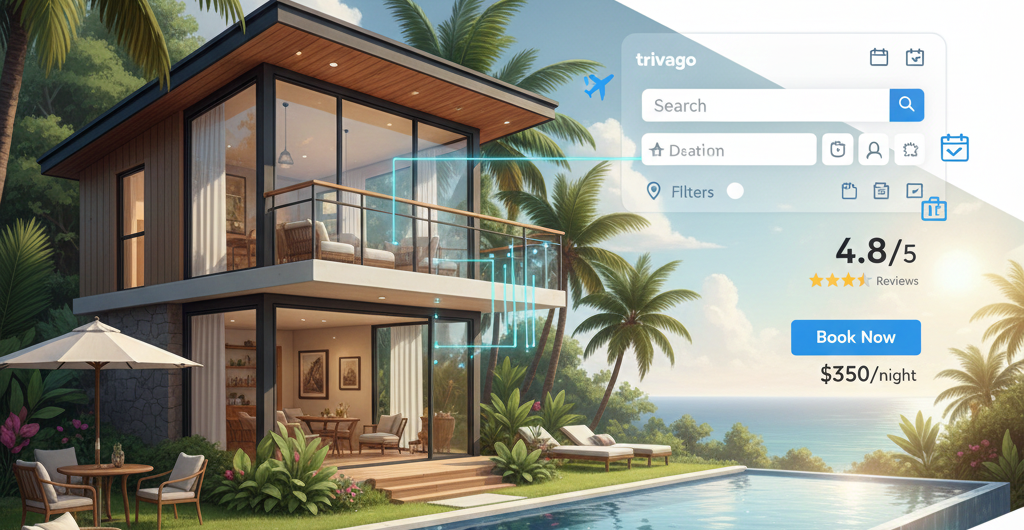
The rise of online travel agencies (OTAs) has transformed hospitality management, making it easier for property owners to showcase their spaces, attract the right guests, and maximize revenue. By creating a vacation home listing on Trivago, you tap into a trusted platform where travelers compare options and choose their ideal stay, giving your property a competitive edge in the booming vacation rental market.
Why List Your Vacation Home on Trivago
Listing your vacation home on Trivago gives you unmatched exposure to millions of travelers worldwide. Every day, people from different countries search for their perfect stay, and your property could be exactly what they’re looking for.
By appearing alongside hotels and other vacation rentals, you gain a competitive advantage, helping your property stand out in a crowded market. Travelers can easily compare your home’s features, photos, and pricing, which increases the chances of booking.
Plus, Trivago makes it easy to manage bookings and maintain pricing visibility. You can update rates, availability, and promotions seamlessly, ensuring your vacation home always attracts the right guests without extra hassle.
Understand the Trivago Partner System
Getting your vacation home listed on Trivago starts with understanding the Trivago Partner System. This system is designed to make it easy for property owners and managers to showcase their properties and reach millions of travelers.
Here’s how it works:
-
Create a Partner Account – Sign up as a property owner or manager to start listing your vacation home. This account is your gateway to managing your property on Trivago.
-
Access the Extranet Dashboard – Once registered, you get access to the Extranet, a powerful dashboard where you can update property details, upload photos, and set pricing.
-
Manage Availability and Pricing – Keep your calendar up-to-date and control rates easily. This ensures travelers always see accurate availability and competitive pricing.
-
Monitor Performance – Track bookings, clicks, and guest interest directly from the dashboard, helping you optimize your listing over time.
By following this how to list your vacation home listing guide, you can efficiently manage your property and maximize your reach on Trivago and other OTA listings.
Types of Properties Supported on Trivago
Trivago isn’t just for hotels—it supports a wide range of property types, making it a perfect platform for vacation rental owners. Here’s what you can list:
-
Vacation Homes – Entire homes or cottages that travelers can rent for short stays. Perfect for families or groups seeking privacy and comfort.
-
Apartments – Single or multi-bedroom apartments ideal for travelers who want a homely stay. Using an apartment management system can help keep these listings organized.
-
Condos – Fully furnished condominiums that offer convenience and amenities, appealing to both short-term and long-term guests.
-
Boutique Hotels – Small, stylish hotels with personalized service, allowing you to stand out in the hospitality market.
Listing different property types on Trivago allows you to tap into a hotel and vacation home online travel agency tips strategy, reaching diverse traveler segments and boosting your booking potential.
Key Features of a Vacation Home Listing on Trivago
Listing your vacation home on Trivago comes with several powerful features that help you attract more guests and manage your property efficiently. Here’s what makes a listing stand out:
-
Professional Photos and Videos – High-quality visuals showcase your property’s best features, helping travelers imagine their stay and increasing booking chances.
-
Detailed Property Descriptions – Clear and informative descriptions highlight amenities, location benefits, and unique selling points, giving guests all the information they need.
-
Dynamic Pricing and Seasonal Packages – Adjust rates based on demand or create special offers for peak seasons to maximize revenue and occupancy.
-
Guest Review System – Positive reviews build trust and encourage more bookings, while feedback helps you improve your hospitality experience.
Using these features effectively is key to hospitality management and can help you optimize your vacation home listing, making it more attractive to potential guests and increasing your overall visibility on the platform.
Step-by-Step Guide to List Your Vacation Home on Trivago
Listing your vacation home on Trivago is simple when you follow these steps. This how to list your vacation home listing guide will help you create a professional and attractive listing that gets noticed by travelers:
-
Create a Trivago Partner Account – Sign up as a property owner or manager to access the Trivago Extranet dashboard.
-
Add Your Property Details – Include essential information such as property name, exact location, amenities, and features that make your vacation home unique.
-
Upload High-Quality Images and Videos – Use professional photos and videos to showcase your property’s interiors, exteriors, and special features.
-
Set Pricing, Availability, and Seasonal Packages – Enter accurate rates, update your calendar, and create seasonal deals to attract more bookings.
-
Review and Submit Your Listing – Double-check all details to ensure accuracy before submitting your listing for approval.
Following this guide ensures your vacation home hotel listing stands out, reaches the right travelers, and maximizes bookings on Trivago.
Challenges of Managing Listings Manually
Managing vacation home listings manually on multiple platforms can be tricky and time-consuming. Here are some common challenges property owners face:
-
Risk of Double Bookings – Updating availability on different OTAs manually can lead to accidental double bookings, causing frustration for both guests and hosts.
-
Time-Consuming Updates Across OTAs – Changing property details, rates, or availability across multiple platforms takes a lot of time and effort.
-
Difficulty in Maintaining Consistent Pricing – Without a proper system, keeping rates competitive and consistent across all OTAs becomes challenging.
-
Tracking Guest Reviews and Ratings – Monitoring reviews from multiple platforms manually makes it hard to respond promptly and maintain a positive reputation.
Using a revenue management system can simplify these tasks, improve efficiency, and help with overall hospitality management. Managing your OTA listings effectively ensures better guest experiences and higher occupancy rates.
Why Use a Channel Manager for Trivago Listings
Managing your vacation home on Trivago and other OTAs can get overwhelming, but a channel manager makes it much easier. Here’s why using one is a smart choice:
-
Synchronizes Listings Across Multiple OTAs Automatically – A channel manager keeps your property updated on Trivago, Booking.com, Airbnb, and more, so you don’t have to manually update each platform.
-
Updates Pricing, Availability, and Bookings in Real-Time – Any change you make is reflected instantly across all channels, reducing the risk of overbookings or missed opportunities.
-
Reduces Manual Errors and Saves Time – Automating routine tasks ensures accuracy, giving you more time to focus on improving guest experience.
Investing in a hotel and vacation home booking software like a channel manager streamlines your operations, increases bookings, and simplifies hospitality management.
How Saasaro Channel Manager Helps Vacation Home Owners
Managing vacation home listings across multiple OTAs can be challenging, but Saasaro Channel Manager simplifies the process and boosts your bookings. Here’s how it helps:
-
Automates Vacation Home Listings on Trivago and Other OTAs – Saasaro ensures your property details, rates, and availability are synced automatically across all platforms, saving you time and effort.
-
Optimizes Revenue with Dynamic Pricing Tools – Adjust rates based on demand, season, or occupancy trends to maximize your earnings.
-
Central Dashboard to Manage Multiple Properties Efficiently – Control all your listings from one easy-to-use dashboard, making it simple to manage multiple vacation homes.
-
Improves Guest Experience Through Timely Updates – Real-time updates on bookings and availability ensure guests get accurate information, enhancing their experience.
Using Saasaro not only streamlines operations but also helps you optimize your vacation home listing, attract more travelers, and improve overall channel manager efficiency.
Tips to Maximize Bookings on Trivago
To get the most out of your vacation home listing on Trivago, follow these practical tips. They help attract more travelers, boost visibility, and increase bookings:
-
Use Professional, High-Quality Photos – Clear, vibrant images of your property’s interiors, exteriors, and amenities make a strong first impression.
-
Optimize Descriptions with Relevant Keywords – Write detailed and engaging property descriptions using keywords to help your listing appear in traveler searches.
-
Maintain Competitive Pricing with Revenue Management Tools – Use dynamic pricing tools to keep your rates attractive and maximize occupancy.
-
Respond Promptly to Guest Reviews – Engaging with reviews shows you value guests, improves your reputation, and encourages repeat bookings.
-
Offer Seasonal Packages and Early-Bird Discounts – Special deals attract more bookings during peak seasons and encourage travelers to plan ahead.
Following these hotel and vacation home online travel agency tips helps you optimize your vacation home listing, increase visibility, and drive more reservations.
Conclusion
Listing your vacation home on Trivago is a smart way to reach millions of global travelers, compete with hotels, and increase bookings. By using features like professional photos, dynamic pricing, and guest review management, you can optimize your vacation home listing and attract the right guests. Tools like Saasaro Channel Manager simplify listing management, save time, and help you maximize revenue while maintaining a seamless guest experience.
FAQs
1. What types of properties can I list on Trivago?
You can list vacation homes, apartments, condos, and boutique hotels on Trivago.
2. How do I create a Trivago partner account?
Sign up as a property owner or manager on Trivago to access the Extranet dashboard for managing your listings.
3. Can I manage multiple listings at once?
Yes! Using a channel manager like Saasaro allows you to manage multiple properties and OTAs from a single dashboard.
4. How can I optimize my vacation home listing?
Use professional photos, detailed descriptions, dynamic pricing, seasonal packages, and promptly respond to guest reviews to improve visibility and bookings.
5. What are the risks of managing listings manually?
Manual management can lead to double bookings, inconsistent pricing, time-consuming updates, and difficulty tracking guest reviews.
6. How does Saasaro Channel Manager help vacation home owners?
Saasaro automates listings across OTAs, optimizes revenue with dynamic pricing, provides a central dashboard for multiple properties, and improves guest experience with real-time updates.