
Introduction
In today’s digital-first travel world, most guests don’t walk into hotels to book rooms — they search, compare, and reserve online. The rising trend of online hotel bookings has completely transformed how hotels attract guests and generate revenue so everyone should know hotel online listing. Whether a property is small, boutique, or large, having a strong presence on Online Travel Agencies (OTAs) like Booking.com, MakeMyTrip, Goibibo, Agoda, and Airbnb is no longer optional — it is essential.
Thanks for reading this blog!, Looking for professional help with your hotel listings?
👉 Sign up with SaasAro or call 75000-87037 today!
If you’d prefer to handle the listing yourself, keep reading and enjoy the complete blog below.
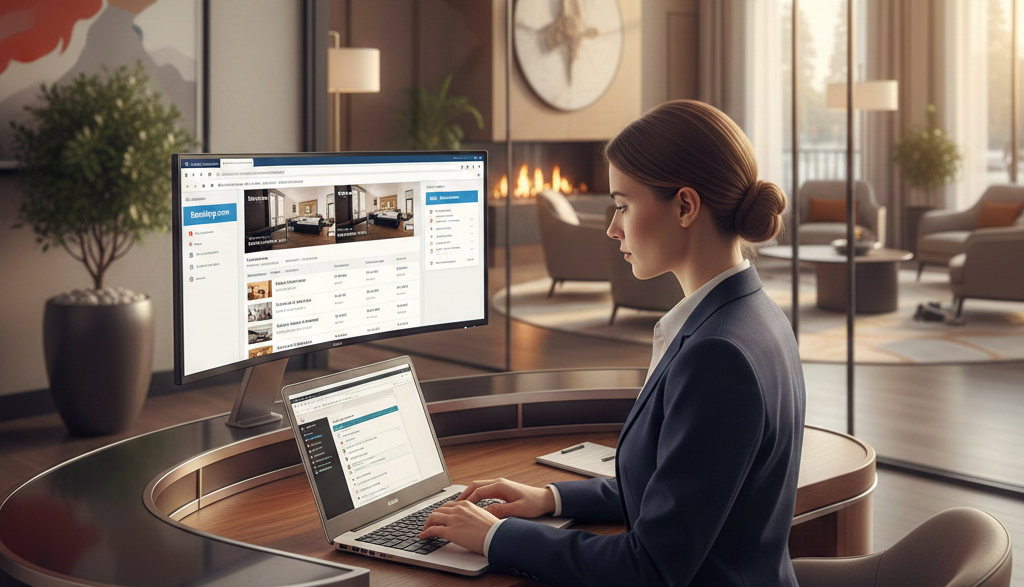
Being visible on OTAs helps hotels reach thousands of travelers who are actively searching for accommodation in real time. Higher visibility leads to more inquiries, more bookings, and ultimately higher occupancy and revenue. OTAs also help build brand awareness, showcase reviews, and increase market trust — especially for new or lesser-known properties.
However, managing listings across multiple OTAs manually can be time-consuming and error-prone. This is where automation tools and channel managers come into play. A channel manager allows hotels to update prices, inventory, and availability across all platforms instantly, reducing overbookings and saving valuable time. With smart automation, hotels can focus more on guest experience while technology takes care of distribution.
[ez-toc]What Is Hotel Online Listing?
A hotel online listing is a digital profile of your property displayed on travel platforms where guests can find, compare, and book rooms. It usually includes your hotel name, photos, location, amenities, pricing, availability, policies, and guest reviews. In simple terms, online hotel listing means showing your hotel on the internet where travelers are already searching.
Hotels can be listed on several platforms, including:
-
OTAs (Online Travel Agencies) such as Expedia, MakeMyTrip, Goibibo, Agoda, Cleartrip
-
Google Hotel Search / Google Business Profile
-
Home-stay platforms like Airbnb
-
Metasearch engines such as Trivago and Kayak
-
Hotel’s own website booking engine
These platforms act as digital shop windows, showcasing your property to millions of travelers worldwide.
There is also an important difference between single listing and multi-OTA listing.
A single listing means your hotel is listed on only one platform, such as only on Booking.com. While this gives some visibility, it limits reach and bookings.
A multi-OTA listing means your hotel is listed across many platforms at the same time. This approach significantly increases visibility, occupancy, and revenue potential because your property appears wherever guests are searching.
Step-by-Step Process to List Your Hotel Online
Step 1 – Choose the Right Online Travel Agencies (OTAs)
The first step in listing your hotel online is selecting the most suitable Online Travel Agencies (OTAs). Popular platforms include Booking.com, MakeMyTrip, Goibibo, Airbnb, Agoda, and Expedia. Each OTA has its own audience, reach, and pricing model, so choosing wisely is important.
While selecting OTAs, consider:
-
Commission percentage
-
Type of audience (business travelers, couples, families, backpackers)
-
Your hotel location and demand
-
Cancellation and refund policies
-
Ease of using the dashboard
-
Integration options with channel managers
Choose a mix of both international and domestic OTAs to maximize visibility and bookings.
Step 2 – Register and Create Your Hotel Account
Once you finalize the OTAs, the next step is to register your hotel and create an account on each platform. Most OTAs follow a simple sign-up process.
You may need the following basic details and documents:
-
Hotel name and full address
-
Owner/manager contact details
-
Government ID of owner
-
GST details (if applicable)
-
Bank account details for payouts
-
Property type (hotel, resort, homestay, guest house, hostel)
After submission, the OTA will verify your details before your listing goes live.
Step 3 – Add Property Details Correctly
Adding accurate and complete property information is crucial. Incomplete or incorrect details may reduce conversion or cause booking confusion.
Make sure to provide:
-
Room types (Deluxe, Suite, Standard, Dormitory, etc.)
-
Amenities (Wi-Fi, AC, TV, parking, breakfast, pool, elevator)
-
Exact location and map link
-
Check-in and check-out timings
-
Child policy and pet policy
-
Accessibility features, if any
Clear and honest details help build guest trust and reduce negative reviews.
Step 4 – Upload High-Quality Photos and Videos
Photos are the first thing travelers notice, even before reading descriptions. High-quality visuals can significantly increase booking conversions.
Upload professional images of:
-
Rooms and beds
-
Reception and lobby
-
Washrooms
-
Restaurant or dining area
-
Exterior and surrounding views
-
Amenities like pool, gym, banquet hall
Tips for best results:
-
Use bright natural light
-
Avoid blurry or dark images
-
Maintain right image size and aspect ratio
-
Show real rooms, not misleading photos
Consider adding short property videos to enhance trust.
Step 5 – Write SEO-Friendly Hotel Description
Your hotel description should be easy to read, keyword-rich, and benefit-oriented. Avoid copying from competitors — write original content.
Include the following:
-
Focus keywords such as “budget hotel in ___”, “best hotel near ___”, “family hotel in ___”
-
Unique selling points (lake view rooms, rooftop restaurant, free breakfast, near metro, etc.)
-
Nearby landmarks: railway station, airport, tourist spots, hospitals, business hubs
-
Friendly and welcoming tone
A strong description improves OTA ranking, search visibility, and conversions.
How to Manage Listings on Multiple OTAs Without Errors
Managing listings on multiple OTAs becomes complex when updates are done manually. Each platform requires separate logins, separate rate updates, and separate availability changes. This increases the chances of mistakes and affects guest experience.
Challenges of manual updates
-
Frequent data entry increases human error
-
Difficult to update every OTA on time
-
High operational workload for staff
-
Hard to maintain consistency across platforms
Double-booking and overbooking risk
-
A room booked on one OTA is not updated instantly on others
-
Same room may get booked multiple times
-
Leads to cancellations and unhappy guests
-
Damages property reputation and ratings
Rate parity problems
-
Prices appear differently on different OTAs
-
Guests lose trust when they see different rates
-
OTAs can penalize properties with inconsistent pricing
-
Brand image and conversion rate are negatively affected
Time-consuming updates
-
Logging into each OTA separately is slow and tiring
-
Daily price changes, stop-sell, and availability edits take hours
-
Staff spends more time on admin work than guest service
How to avoid these problems
-
Use a reliable channel manager software
-
Update prices and inventory from a single dashboard
-
Automatically sync availability across all OTAs
-
Maintain rate parity and reduce manual workload
-
Ensure real-time updates to prevent double-booking
Why Use a Channel Manager for Hotel Online Listings?
A channel manager is essential for hotels that list rooms on multiple OTAs. It helps manage inventory, pricing, and availability from one place instead of updating each platform manually. This reduces workload, prevents errors, and improves booking efficiency.
Benefits of Channel Manager Software
A channel manager simplifies daily hotel operations and improves online performance.
Key benefits include:
-
Automatic inventory updates across all OTAs
-
Real-time rate synchronization on every platform
-
Reduced risk of double-booking and overbooking
-
Ability to connect with multiple OTAs at the same time
-
Centralized control instead of logging into each OTA separately
-
Better rate parity and pricing accuracy
-
Higher productivity with less manual work
With a channel manager, hotels can manage distribution easily and focus more on guest experience.
How SaasAro Channel Manager Helps Hotels
SaasAro Channel Manager is designed specifically for hotels that want simple, reliable OTA management without technical complications.
How SaasAro supports hotels:
-
Easy onboarding with quick account setup
-
Supports major OTAs like Booking.com, MakeMyTrip, Goibibo, Airbnb, Agoda, and more
-
Fewer login and dashboard access issues
-
Single dashboard to control prices, availability, and inventory
-
Real-time updates to prevent booking conflicts
-
24×7 customer support for assistance
-
User-friendly interface suitable for beginners and experienced hoteliers
SaasAro helps hotels save time, avoid errors, and increase online bookings through automation and smooth OTA connectivity.
Tips to Optimize Your Hotel Online Listing for More Bookings
A well-optimized hotel listing attracts more visibility, clicks, and confirmed bookings. Small improvements in content, photos, reviews, and pricing can significantly increase conversion rates across OTAs. The goal is to keep your listing accurate, engaging, and regularly updated so guests can confidently choose your property.
Reply to guest reviews
Responding to reviews shows guests that the hotel values feedback. Positive replies build trust and improve credibility. Address negative reviews politely and offer solutions. Active review management also helps OTA rankings and encourages more bookings.
Add local attraction keywords
Include keywords such as “hotel near airport”, “hotel near railway station”, or “hotel near popular tourist place”. Mention major landmarks, business areas, hospitals, temples, beaches, or markets nearby. These keywords improve search visibility and help travelers find your property easily.
Update photos regularly
Regularly refresh photos to reflect the real condition of rooms and facilities. Add new images after renovations or upgrades. Clear, high-resolution photos of rooms, lobby, dining area, and surroundings increase click-through rate and guest confidence.
Maintain price competitiveness
Monitor competitor pricing in your locality and adjust your rates accordingly. Use dynamic pricing for weekends, festivals, and peak seasons. Competitive pricing improves ranking on OTAs and increases booking conversions.
Keep calendar updated
Always update availability, blocked dates, and stop-sell rooms on time. An updated calendar prevents overbooking and booking rejection issues. Real-time availability improves guest experience and OTA performance score.
Common Mistakes to Avoid in Hotel Online Listings
Many hotels lose bookings not because of lack of demand, but because of mistakes in their online listings. Avoiding these common errors can improve visibility, guest trust, and conversions across OTAs.
Duplicate listings
Creating multiple listings for the same property confuses guests and violates OTA policies. It can lead to penalties, lower ranking, and sometimes listing suspension. Always maintain a single, complete, and accurate listing for your hotel.
Low-quality photos
Blurred or dark photos reduce guest interest and booking confidence. They fail to highlight the real value of your property. Always use clear, well-lit, high-resolution images that represent rooms, lobby, washrooms, dining areas, and surroundings accurately.
Wrong location pin
Incorrect map location is one of the biggest reasons for cancellations. Guests rely on maps for travel planning. Ensure that your Google map pin and OTA location are accurate to avoid confusion and negative reviews.
Inconsistent prices across OTAs
Different rates on different platforms create rate parity issues. Guests compare prices and may avoid booking if they see inconsistency. Maintain uniform pricing, taxes, and discount structure across all OTAs to build transparency and trust.
Not responding to guest messages
Slow or no reply to guest queries leads to lost bookings. Quick responses increase chances of confirmation and improve OTA response score. Train staff or use automation tools to reply faster and handle messages professionally.
Conclusion
Hotel online listing has become essential for attracting today’s digital travelers. Being visible on major OTAs increases occupancy, revenue, and brand reach. However, managing listings manually across multiple platforms can lead to errors, rate mismatch, and overbooking. Using the right tools, especially a reliable channel manager like SaasAro, helps hotels automate updates, sync inventory in real time, and maintain accurate pricing everywhere. With optimized listings, quality photos, clear policies, and active review management, hotels can improve conversions and build long-term guest trust.
Frequently Asked Questions (FAQs)
1. What is a hotel online listing?
A hotel online listing is a digital profile of your property published on OTAs and travel platforms where guests can check details, compare prices, and book rooms.
2. Why is listing a hotel on OTAs important?
OTAs provide wide visibility, attract more travelers, increase occupancy, and help grow hotel revenue through online bookings.
3. How can I list my hotel on multiple OTAs?
You can register individually on each OTA or use a channel manager to connect multiple OTAs at once and manage all listings from one dashboard.
4. How do I avoid double-booking and overbooking?
Use a channel manager that automatically syncs availability across OTAs in real time. Manual updates often cause booking conflicts.
5. What improves my hotel listing ranking on OTAs?
High-quality photos, competitive pricing, positive reviews, accurate details, and updated calendars help improve listing rankings and conversions.
6. Why should I use SaasAro Channel Manager?
SaasAro offers easy onboarding, supports major OTAs, provides a single dashboard for rate and inventory control, reduces login issues, and offers 24×7 support for hotels.